Extended Warranty
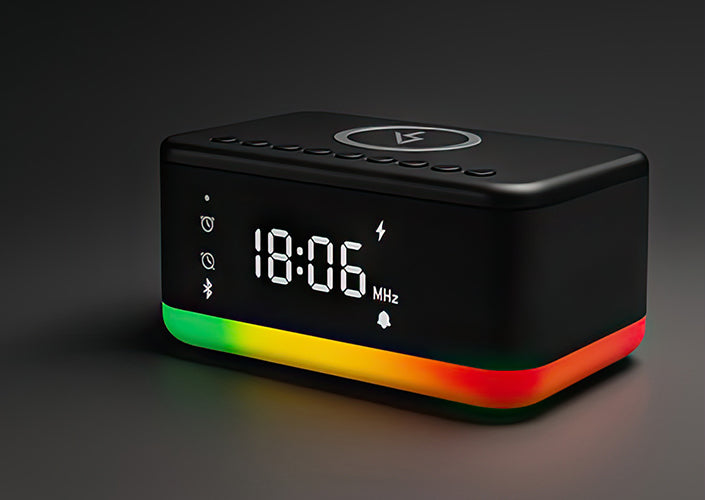
For the launch of the Rise alarm clock, Swiftvein is offering a temporary free warranty extension.
Free 1-Year Warranty Extension
✔️ 12 months of extra protection (3 years in total).
✔️ Quick 1-minute registration.
Register within 14 days of your purchase.
Swiftvein Rise Video
Discover the features and benefits of your new Rise in our official product video.
Software update
27 January 2026
This is an update for the device itself and is separate from the Fansbe app. The update includes important bug fixes and improvements to the alarm clock.
Bug fixes & new features
New:
- Alarm sounds now stick to a constant volume and they will not increase over time.
- Added the auto-search option to the radio dashboard inside the app. Make sure the Fansbe app is up-to-date as well.
- The system sound "Turn off alarm clock" has been removed.
Bug fixes:
- Alarm sounds now correctly play on the chosen volume level.
- Setting the radio as an alarm sound now works correctly.
- The radio does not turn on after snoozing or turning off the alarm (except when the radio is chosen as the alarm sound)
- Alarm sounds are now looping correctly instead of prematurely.
- The FM-list now properly shows all auto-searched radio stations.
How to apply the update?
To apply the update, you will need an empty USB-drive.
- Download the update file by pressing the button below.
- Place the file on a completely empty USB-drive. Do not change the name of the file.
- Turn on the alarm clock and switch to Bluetooth mode.
- Insert the USB-drive into the back of the alarm clock and wait for the update to install. This takes approximately 30 seconds, and the device will go back to the time mode once it is finished.
Note: Do not remove the USB-drive before the update is finished.
Frequently Asked Questions
- General
- Installation
- Application
- Troubleshooting
No, the alarm clock works perfectly without the app. You can set alarms, adjust volume and brightness, and use the FM radio directly on the device. However, the free companion app unlocks extra features like multi-alarm scheduling, radio presets, time synchronization and light customization.
Most of the essential features are perfectly usable without the app. Keep in mind that without the app, you can setup to 2alarms and you can't customize them by day.
With the app, you can set up to 10 different alarms and assign them to specific days of the week, perfect for customizing your weekday and weekend routines.
Without the app, you can still set 2 alarms directly on the device.
Yes. When connected to the app and when "phone time sync" is turned on, the clock syncs the time automatically with your phone. If you’re using it without the app, you can still set the time manually using the touch buttons on the device.
Yes, the LED display has adjustable brightness levels. In the app there's a slider for it, and on the device itself you can pick between 6 brightness levels.
The brightness of the LED display and the light are separately adjustable.
No, the alarm clock needs to be plugged in to function fully. It does not operate on battery power. However, it does contain a small button cell battery that preserves your settings (like time and alarms) in case of a temporary power outage, so you won’t have to reprogram it every time.
Hold the top button for 3 seconds until the hour flashes, adjust with the +/- buttons, and confirm. You can also sync the time automatically through Bluetooth in the Fansbe app.
When the alarm rings, press the top button once to snooze for 9 minutes. Hold it for 3 seconds to stop the alarm completely for that day.
Place your phone in the center of the top charging pad. Make sure the case is thinner than 5 mm and contains no metal. The green indicator will light up while charging.
Press the top button to cycle through six brightness levels (0–100%). The brightness of the night light adjusts along with the display, or you can fine-tune both in the Fansbe app.
Download the Fansbe app from the App Store or Google Play, turn on Bluetooth, power on the Rise, then tap +Add in the app and select your device (A21-B) to connect.
Open the Fansbe app → Alarms → select your alarm → choose the active days. This feature is only available in the app.
Open the Fansbe app and select Music to play via Bluetooth, or AUX. For radio, go to FM Radio in the app to scan, save, and manage stations directly from your phone.
In the Fansbe app, go to Light to select brightness, set a timer, or choose from six RGB effects (including Night Light, Rainbow, Vortex, Wave, and Breathing). The RGB effects are customizable as well.
Check that your phone is centered, the case is less than 5 mm thick, and no metal or foreign objects are on the charging pad. Some phones may need slight repositioning.
Wireless charging may cause minor interference with FM reception. This is normal, but switching to USB charging usually solves the issue.
Yes. The built-in CR2032 backup battery keeps your time and alarm settings stored. Once power returns, the Rise resumes normal operation automatically.
Make sure Bluetooth is enabled on your phone, the Rise is powered on, the Rise isn't connected to other devices and you are within 10 meters. If it still won’t connect. try resetting your bluetooth and turning the device off and back on again.
If you only press the top button, snooze will repeat after 9 minutes. To fully stop it, hold the top button for 3 seconds until the snooze icon disappears.


 Cleaning
 Sleep & Relax
 Other
Other