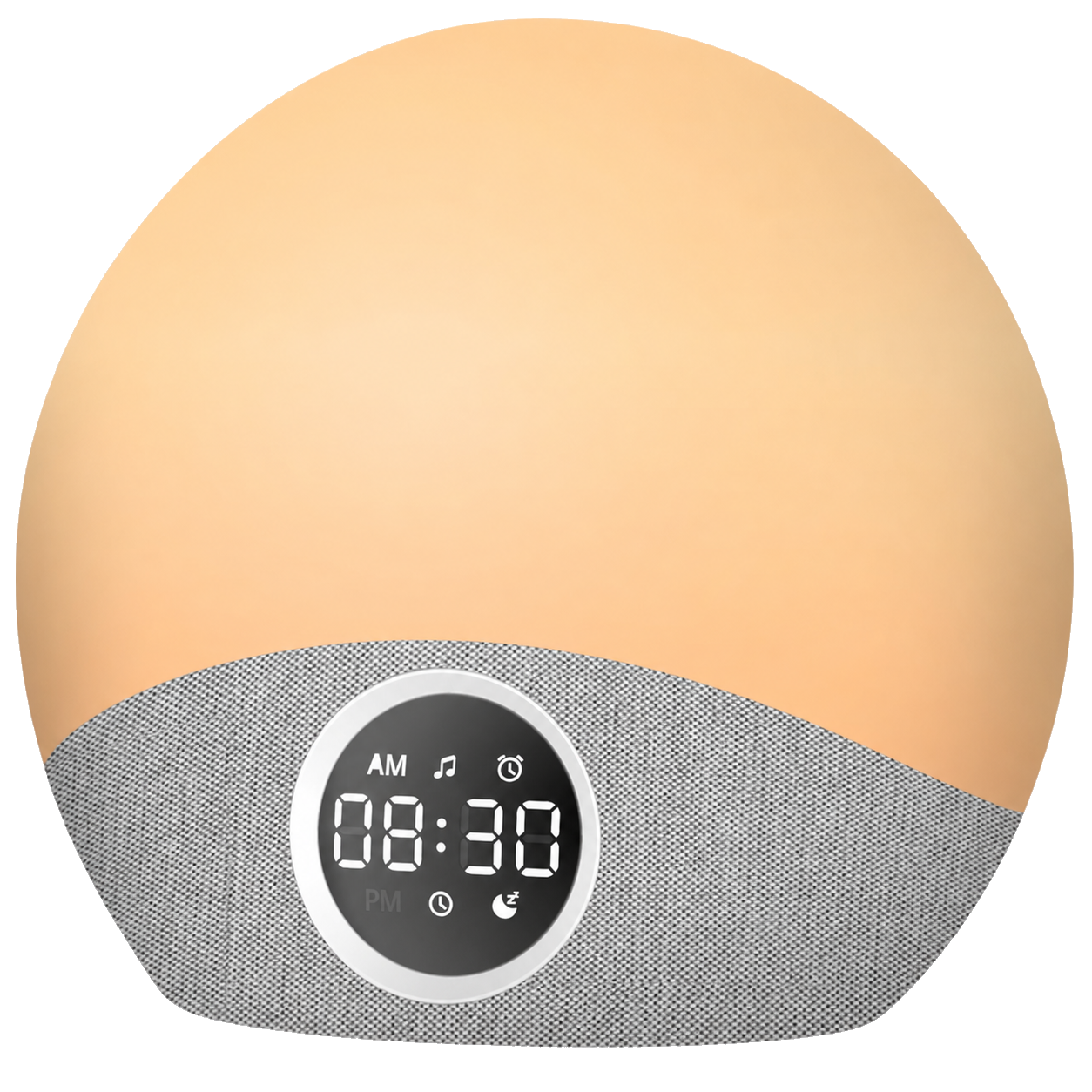
Rise Alarm Clock
Plan your week with up to 10 app-controlled alarms
Charge overnight with 10W wireless charging
FM radio and dual 5W Bluetooth speakers in one compact clock
Product details
Rise replaces bedside clutter with one compact alarm clock for waking, listening and charging. Use the clock directly for everyday controls or connect the companion app to create a more detailed routine.
More control without making mornings complicated.
- Set two alarms on the device or up to ten alarms with weekday scheduling in the app.
- Choose from 15 alarm sounds or wake to an FM radio station.
- Play music, podcasts and sleep audio through the dual 5W Bluetooth speakers.
- Charge a compatible phone wirelessly and power a second device through USB-A.
- Adjust the display and ambient light separately for a comfortable bedroom at night.
Specifications
Power supply: DC 9V
Speaker power: 2 × 5W
Wireless charging: 10W
USB-A output: 5V / 1A
Bluetooth: version 5.3, up to 10m
Product dimensions: 170 × 105 × 85mm
Product weight: 470g
Assembly & Care
Designed for simple daily use.
- Place Rise on a stable, dry bedside surface and connect the supplied DC adapter.
- Keep the top charging area clear and centre a compatible phone on the charging symbol.
- Use the device controls for essential settings or pair the Fansbe app for extended alarm schedules, time synchronisation and radio presets.
- Clean with a soft, dry cloth. Do not immerse the clock or use abrasive cleaners.
- Keep ventilation openings clear and disconnect power before cleaning or moving the device.
2-year limited warranty
Every Rise includes a standard two-year limited warranty. If a covered fault occurs during that period, Swiftvein will arrange a suitable solution in accordance with the warranty policy. You can register the product for one additional year of warranty at no charge.
Shipping & returns
Netherlands: free shipping; orders are normally processed within one business day.
Belgium: delivery normally takes 1–2 business days and the current rate is shown at checkout.
Other European countries: delivery time and rate vary by destination and are shown at checkout. Returns are accepted within 30 days in accordance with our return policy.
See Rise In Action
See how Rise brings alarms, wireless charging, light, radio and Bluetooth audio together on one uncluttered nightstand.

Everything Your Nightstand Needs
Wake, charge, listen and create the right atmosphere from one compact bedside hub.

Smart Alarms For Any Schedule
Create a weekly schedule with up to 10 alarms.

10W Wireless Charging
Place a phone on top wake up to a fully charged battery.

Dual 5W Bluetooth Speakers
Stream music with clear, room-filling stereo sound.

Colored Night Light
Freely choose from 7 colors and adjust the brightness.

FM Radio With Presets
Easily save and listen to your favourite stations.

Dimmable Display And Light
Separately dimmable for unobtrusive lights at night.
Smart Control. Simple Mornings.


Discover More With The Smart App
Manage alarms, lighting, radio and time settings from one clear dashboard, with extra controls that are quicker to adjust in the app.

All Controls In One Place
See your alarms and key Rise settings at a glance from one simple dashboard.

Up To 10 Alarms
Create up to ten alarms and assign each one to the days that match your weekly routine.

Personalise Every Alarm
Fine-tune the sound, volume, repeat days and optional wake-up light for every alarm.

Seven Light Colours
Choose from seven colours and adjust the brightness directly from your phone.

FM Radio Presets
Tune in to FM radio and save your favourite stations for faster access.

Bluetooth Audio
Connect via Bluetooth and enjoy music, podcasts or relaxing audio through the dual 5W speakers.

Automatic Time Sync
Synchronise Rise with your phone so the clock always displays the correct time.
Loved By Rise Owners
Real feedback from verified Rise customers across our sales channels.
Alarm options, lighting, radio, Bluetooth and wireless charging in one device. The app adds even more control. We are very happy with it.
Install the app, connect through Bluetooth and you are ready. Alarms, light, night light, volume, music and radio are all easy to control.
The build quality is very good, the sound is impressive for an alarm clock and the app offers many extra alarm options.
The app works surprisingly well, setting alarms for different days is easy and wireless charging is ideal overnight.
A versatile alarm clock with radio, Bluetooth, colourful lighting and an app for extra settings.
A great alarm clock with lots of functions and easy app control. I am genuinely very happy with it.
Best chosen by:


FAQ
Everything you need to know about Rise. Still have a question? Contact us
Can I use the radio as an alarm sound?
Yes. After saving your favorite radio station you can set it as your alarm sound.
Do I need the app to use Rise?
No. You can set alarms, adjust volume and brightness and use the FM radio directly on Rise. The free companion app adds weekday scheduling, more alarms, radio presets, time synchronisation and detailed light controls.
How many alarms can I set?
You can set two alarms directly on the clock. With the companion app, you can create up to ten alarms and assign them to specific days of the week.
Can I dim or turn off the display at night?
Yes. The display has six brightness levels on the device and can also be adjusted in the app. Display brightness and ambient light brightness are controlled separately.
Does Rise work without the power adapter?
Rise must remain connected to power for normal operation. A small backup battery preserves settings such as the time and alarms during a temporary power interruption.
Can Rise charge more than one device?
Yes. A compatible phone can charge wirelessly on top while a second device uses the 5V / 1A USB-A output on the back.

 Cleaning
 Sleep & Relax
 Other
Other